



Upload a part list to bulk order High compatible loose bricks.
Contact us if you have any questions. mygobricks@gmail.com
⚠️Attention Due to system limitations, the number of parts in a single upload order should not exceed 100.
Upload a file from your computer
- Studio(.csv,.ldr,.xml,.lxfml)
- Rebrickable(.csv)
- BrickLink(.xml)
- Gobricks(.xlsx)
Guidance
Supported File Templates
Rebrickable(.csv)
Studio(.csv,.ldr,.xml,.lxfml)
BrickLink(.xml)
Gobricks(.xlsx)
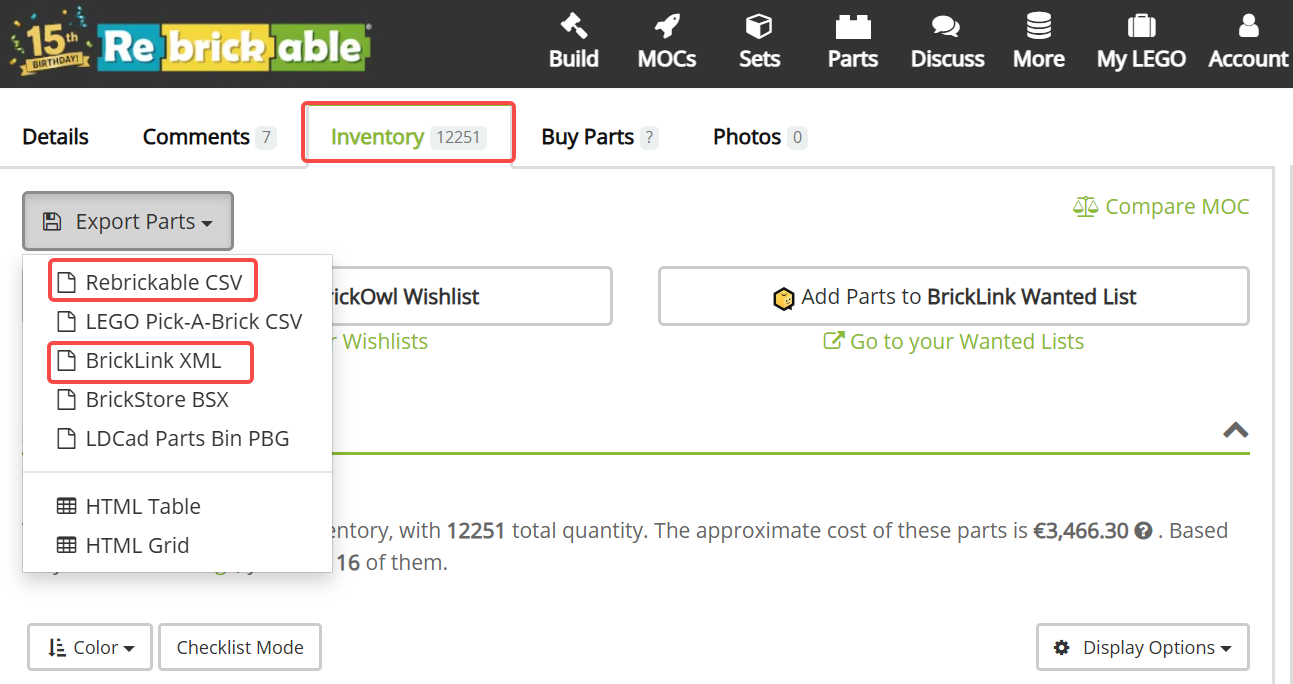
Rebrickable(.csv)
CSV file header
| Field | Comment | Required |
| Part | Ldraw ID | YES |
| Color | Ldraw Color ID | YES |
| Quantity | Quantity | YES |
| Is Spare | Is Spare | YES |
Sample file: rebrickable_export_csv_sample.csv
How to export csv from Rebrickable
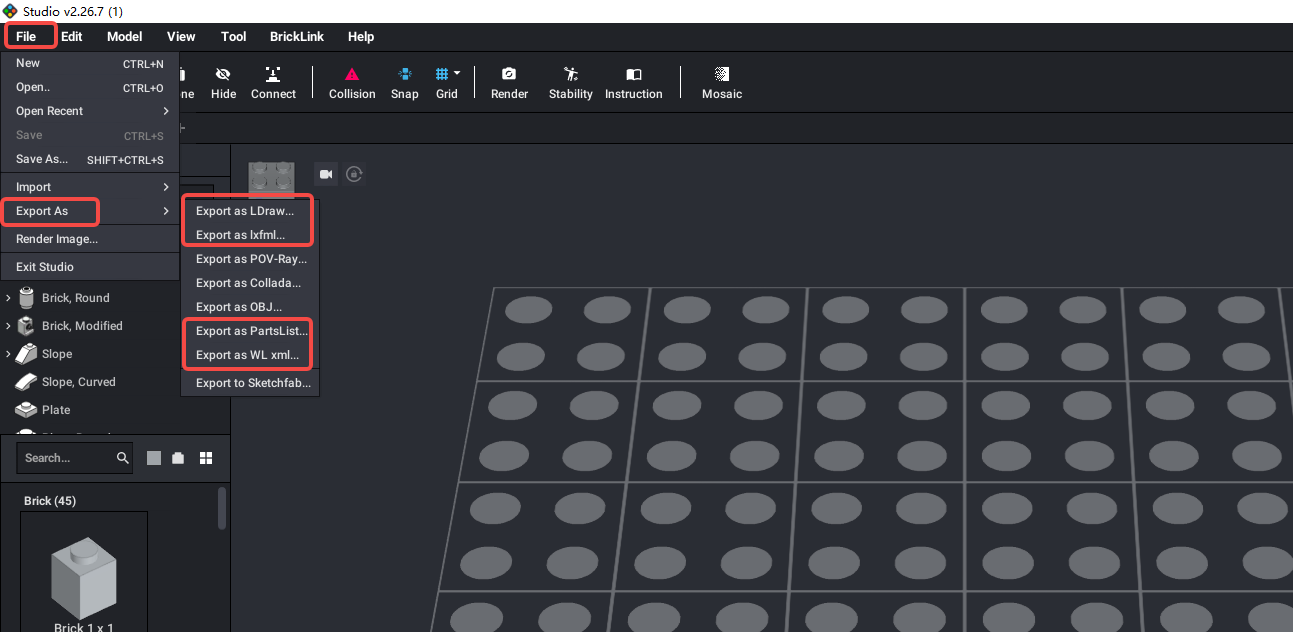
Studio(.csv,.ldr,.xml,.lxfml)
CSV file header
| Field | Comment | Required |
| BLItemNo | BrickLink Item Number | YES |
| ElementId | Element ID | NO |
| LdrawId | Ldraw ID | YES |
| PartName | Part name | NO |
| BLColorId | BrickLink Color ID | YES |
| LDrawColorId | Ldraw Color ID | YES |
| ColorName | Color Name | NO |
| ColorCategory | Color Category | NO |
| Qty | Quantity | YES |
| Weight | Weight | NO |
Sample file:studio_export_csv_sample.csv
How to export csv from Studio
Gobricks(.xlsx)
XLSX file header
| Field | Comment | Required |
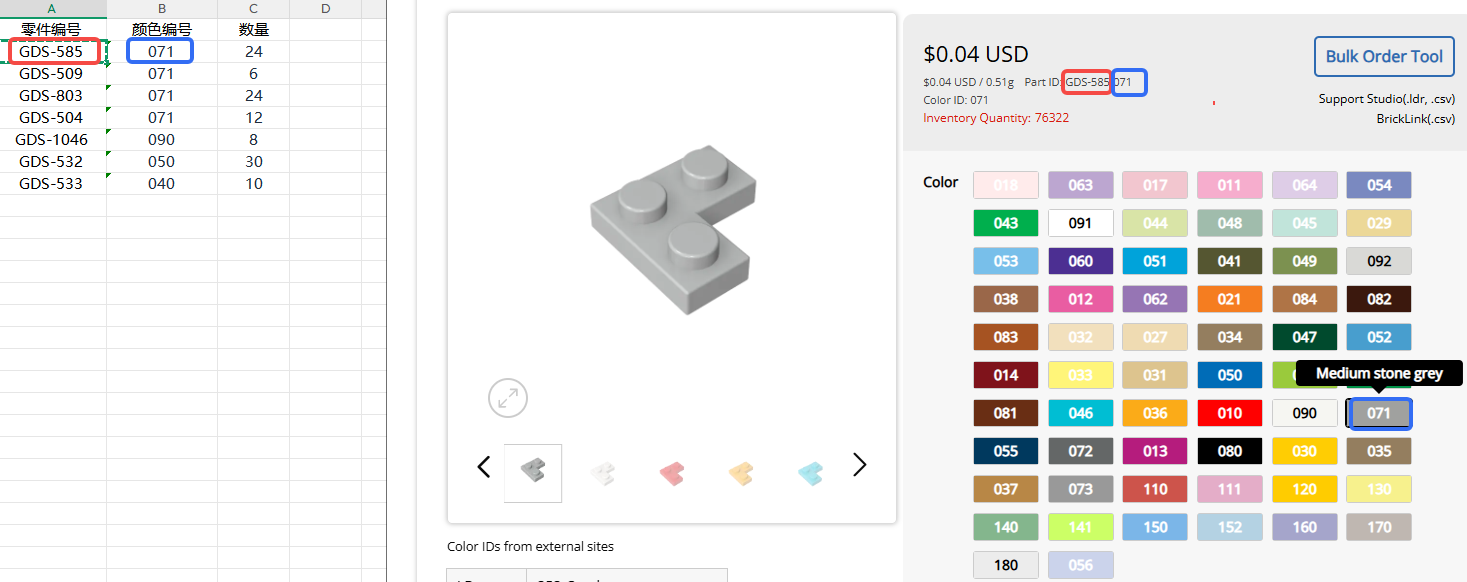
| 零件编号 | Gobricks Mold Number | YES |
| 颜色编号 | Gobricks Color ID | YES |
| 数量 | Quantity | YES |
Sample file: gds-list.xlsx
How to fill out the GoBricks parts list
Need Help?
If you encounter any issues during your usage, please feel free to contact us, and we will provide assistance. Our email is mygobricks@gmail.com .